
# Installing the launcher
# Android
Instructions for installing Amethyst on Android devices.
GitHub Actions
If you want the latest and greatest to test before the official release, you can grab a copy from GitHub Actions.
Using nightly.link:
- Download the Latest Artifact (opens new window) using this link.
- Install as any usual .apk
Using Github (requires an account):
- Start off by heading to the Amethyst (opens new window) repository and switching to the "Actions" tab.

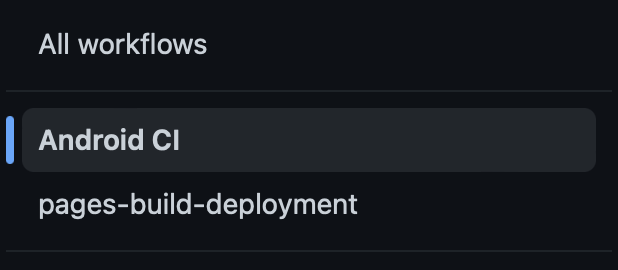
- Next, select "Android CI" in the workflow selection menu.
- Choose a build with a green or blue checkmark next to the branch you want to download.
v3_openjdkwill be the one for most people.

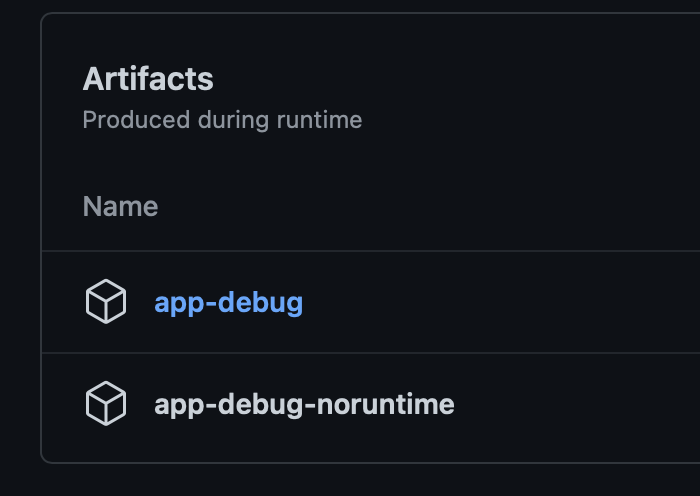
- Under "Artifacts", choose the build type you wish to download.
app-debugwill be the one for most people.
- Install as any usual .apk
Source
Instructions coming in a future revision to this website.
Google Play
Google Play is currently unavailable. Sorry! Try one of the methods above!
# iOS
Instructions for installing Amethyst on Apple devices.
Sideloading (TrollStore)
We recommend TrollStore for all users if possible. This method allows for automatic JIT enabling, more memory allocation, and non-revoking installs. If your device/iOS version doesn't support TrollStore, go to "Sideloading (Jailed)".
Note: Enable URL Schemes in TrollStore settings: TrollStore -> Settings -> Scroll Down -> Enable URLScheme > Rebuild Icons Cache
# TrollStore compatibility depends on whether your iDevice is arm64 (A8-A11) or arm64e (A12+/M1+)
# For arm64, TrollStore is compatible with the following iOS versions:
- 14.0 to 16.6.1
- 17.0
- 16.7 to 16.7.10 (*)
- 17.0.1 to 17.7 (*)
- 18.0 to 18.1.1 (*)
- 18.2 (*)
(*) - requires arm64 iDevice jailbroken with Palera1n (opens new window)
# For arm64e, TrollStore is compatible with the following iOS versions:
- 14.0 to 16.6.1
- 17.0
- 16.7 RC (20H18)
Follow these steps to install TrollStore (opens new window).
Download the latest developer build from here (opens new window). Expect to encounter bugs!
Locate where the .ipa was downloaded, tap the Share icon, and choose TrollStore in the list of options available.
You can now enjoy Minecraft: Java Edition on your iDevice!
Sideloading (Jailed)
Requires an active Apple Account that has signed into the Apple Developer Program (opens new window).
Amethyst supports being sideloaded with AltStore and SideStore. Instructions to use SideStore are below--for other options, refer to their documentation.
Follow the official guide on installing SideStore itself (requies the one-time use of a computer):
Add the Amethyst AltSource to SideStore here (opens new window). Alternatively, install the .ipa to SideStore directly (opens new window). Install Amethyst to SideStore to register the App ID. Expect to encounter bugs! Install it via SideStore using the "+" button on the "Apps" page.
GetMoreRam increases the memory limit imposed by iOS/iPadOS on sideloaded apps, and is required to run Amethyst. Complete the following steps to set it up:
- Install the GetMoreRam .ipa to SideStore here (opens new window).
- Install Entitlement.ipa via SideStore. Open GetMoreRam, navigate to Settings and select "Sign In". Use your Apple Account credentials to log in. (If the app crashes, just try again.)
- Navigate to "App IDs" and select "Refresh". Select the App ID including "amethyst", then select "Add Increased Memory Limit".
- If a bunch of text appears underneath with no mention of an error, you did it correctly. Now, you can delete GetMoreRam.
Reinstall the latest Amethyst build from here (opens new window) as if you are updating the app (you don't need to delete it first) so the memory entitlement takes effect. (Note: If your Amethyst expires you will need to repeat the last two steps).
Installing Amethyst is not the end for Jailed iOS devices. In order to play Minecraft itself, you will need to enable JIT.
WARNING
All boxes below include outdated instructions. Please avoid using them.
Sideloading (Jailbroken)
Currently, AppSync Unified is not supported. There is an issue (opens new window) regarding the data directory when installed with AppSync.
You can follow the Sideloading (TrollStore) or Sideloading (Jailed) steps to sideload on a jailbroken iDevice. Regardless of the method, you will benefit from automatic JIT enabling and more memory allocation.
GitHub Actions
Requires a GitHub account in order to download.
If you want the latest and greatest to test before the official release, you can grab a copy from GitHub Actions.
- Start off by heading to the PojavLauncher iOS (opens new window) repository and switching to the "Actions" tab.

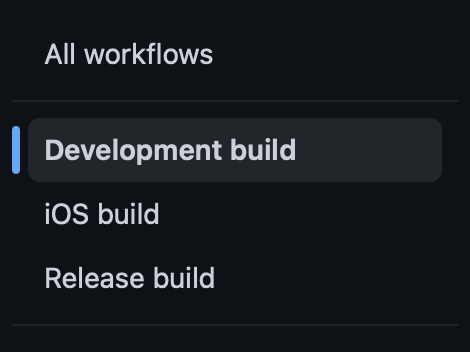
- Next, select "Development Build" in the workflow selection menu.
- Choose a build with a green or blue checkmark next to the branch you want to download.
mainwill be the one for most people.

- Under "Artifacts", choose
net.kdt.pojavlauncher.ipa
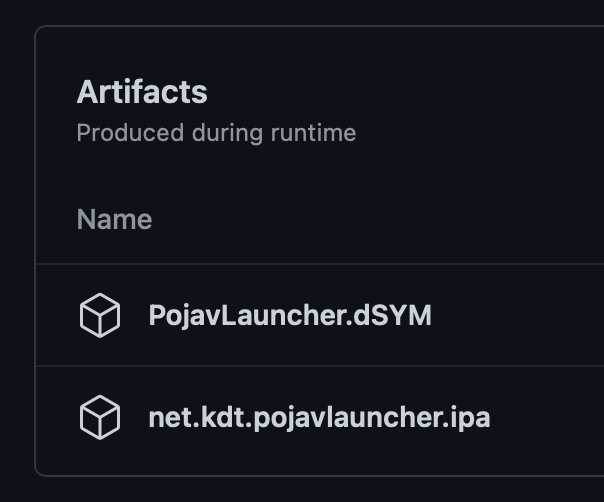
Once you have an Actions build downloaded, you can now unzip the file and use this .ipa for TrollStore or sideloading.
Source
Instructions coming in a future revision to this website.